Skip to content
  • Welcome to NeonCore! The product catalog and competitive analytics hubs (AoE4, PoE 1 & 2, Tarkov, Arena, Active Matter, LTD2) are available without signing in. Create a unified account to purchase subscriptions and access your dashboard.
Tactical HUD overlay for Age of Empires IV (Steam): player resource panels, idle villager alerts, camera zoom & night filter, weapon range rings, automation presets, and offline AI assistant.
AOE4HOOK · Age of Empires IV Steam · Release 2.3.6 + Raiders of the North Operational checked 25.10.2026 Release 2.3.6 (Graphite + Aurora): camera zoom, 3D night layer, 4-contour Radar & 3D Chams with magnetized Live Preview, broadcast economy HUD, 3-mode AI BOT, and 6 studio styles (F5).

Read the match faster. Keep macro under total control.

Tactical overlay and analytical suite for Age of Empires IV (current Steam release): extended camera zoom, night filter, live player resource & villager counters, idle worker and production alerts, weapon range rings, and customizable automation presets.

  • Extended camera zoom, pitch angle control, forest canopy transparency, and crisp 3D Night Layer
  • 4-contour Radar & ESP: world ESP tags, occluded 3D Chams behind walls & forests, minimap radar, and magnetized Live Preview
  • Broadcast economy HUD: live resources, gatherer splits, army value, landmark age-up timers, and cavalry raid alerts
  • 3-mode AI BOT (Hybrid Co-Pilot, Arithmetic Macro, Skirmish Game AI), continuous villager queues, tax collection, and circular farms
  • 6 Studio Styles (Aurora, Imperial Brass, Precision Slate, Smoked Glass, Ruby Table, High Contrast) via F5, crisp 100–200% DPI steps, and Graphite + Aurora Loader
NeonCore AoE 4 2.3.6 — Radar, ESP & Magnetized Live Preview NeonCore AoE 4 2.3.6 — 3-Mode AI BOT Module NeonCore AoE 4 2.3.6 — 6 Studio Styles & DPI Scaling
NeonCore AoE 4 2.3.6 Graphite + Aurora menu tabs (Insert to toggle menu, F5 to cycle studio styles).
Update October 29

Raiders of the North DLC Launches October 29

Age of Empires IV introduces the Vikings and Scots civilizations alongside an expanded Crucible mode. Full support for all new units and structures in NeonCore AoE 4 and /aoe4world/ will be ready for launch.

Source: ageofempires.com ↗
Overlay Menu & Modules

Everything you need for macro control, scouting, and build order mastery

Every module toggles independently inside the Release 2.3.6 menu (Insert), with instant F5 studio style cycling and custom profile presets.

Quick jump:
💡 Interactive Release Menu 2.3.6: switch ESP / Chams / AI BOT cards, cycle 6 studio styles (F5), toggles, and sliders right inside the menu or open Live Preview.
Modules

Included Modules & Features

Complete directory of all 64 NeonCore AoE 4 features and the /aoe4world/ analytics hub. Every item explains what tactical advantage it gives you and how to enable it in the menu.

Complete Feature Matrix 64

Badges classify module behavior inside the overlay.

Pre-Match Lobby & Opponent Stats
  • 1v1 & Team Rating Table Information
    Displays live ELO rating, rank, and winrate for every player in the lobby; enabled in the Lobby tab.
  • Best & Weakest Civilization Breakdown Information
    Highlights each opponent's highest- and lowest-winrate factions; shown automatically on the player row.
  • Lobby Map Pool Advisor Information
    Compares civilization winrates across the current map pool; accessible inside the lobby panel.
  • Recent Match History Summary In-Game Action
    Shows a concise summary of recent games and favored strategies; opened by clicking a player row.
  • One-Click Profile Link to AOE4 World In-Game Action
    Opens the player's full statistical dossier on the analytics portal via a button in the lobby table.
  • Premade Party Indicator In-Game Action
    Highlights players queued together in team matches with a color badge next to their name.
  • Streamer Mode (Name Masking) In-Game Action
    Replaces player names in the overlay table with generic labels; toggled in the Lobby tab.
  • Customizable Lobby Columns Automation
    Lets you choose which stat columns appear before the match using checkboxes in the Lobby section.
Camera & Scene Lighting
  • Extended Camera Zoom Distance Information
    Increases maximum battlefield viewing height; adjusted via a slider in the Camera tab.
  • Camera Pitch & Field of View Controls Automation
    Adjusts viewing angle for broader base coverage; controlled via sliders in the Camera section.
  • Map Lighting & Atmosphere Presets Information
    Switches between daylight, sunset, and high-contrast map lighting from the Scene dropdown.
  • Auto-Apply Camera Settings on Match Start In-Game Action
    Automatically sets your preferred zoom height at the beginning of every game; toggled in the Camera tab.
Visibility & Night Style
  • Full Map View in Practice & Replays Information
    Reveals the map for analyzing movements during practice and replays; toggled in the Visibility tab.
  • Night Mode Map Styling Information
    Softens terrain brightness while keeping units crisp and readable; activated with the Night Layer toggle.
  • Vision Range Border Contour Information
    Draws a clean boundary line around the sight range of your units; customizable by color and thickness.
  • Tree Canopy Transparency Information
    Makes forests semi-transparent for easier lumberjack and forest combat control; adjusted with a slider.
  • Horizon Fog & Haze Removal Information
    Clears decorative horizon haze for sharp clarity at high zoom levels; enabled with a single click.
  • Shoreline & River Crossing Highlights Information
    Marks shallow water crossings for land units; enabled via a checkbox in the Visibility tab.
  • Night Mode Color Profiles Information
    Choose between cool blue, emerald, or warm amber scene tints from the preset selector.
Radar, 3D Chams & World Highlights
  • 4-Contour Tactical Radar & ESP Information
    Separates battlefield awareness into 4 independent contours (ESP, Chams, Radar, Observer) with draggable screen placement.
  • Health Bars & Construction Progress Information
    Shows exact structure durability and completion percentage; enabled in the Radar & Highlights tab.
  • Town Center & Keep Firing Range Rings Information
    Draws exact firing radii around defensive structures so your army can maneuver safely; toggled under Range Rings.
  • Movement Vectors & Rally Points Information
    Displays unit march paths and production building rally points; enabled via checkbox in the menu.
  • Relic, Sacred Site & Huntable Highlights Information
    Highlights deer, boar, wolves, and uncollected relics on the map; filterable by category.
  • Neutral Resource Respawn Timers Information
    Shows countdown timers for neutral objectives and resource nodes; enabled under World Objects.
  • Gold & Stone Vein Remaining Counter Automation
    Displays exact remaining ore amounts above each deposit; toggled in the Highlights section.
  • Occluded 3D Chams & Magnetized Live Preview Information
    Renders 3D unit silhouettes behind walls and forests with real-time tuning inside the magnetized Live Preview sidecar.
Player Economy HUD Panels
  • Live Resource Table for All Players Information
    Displays food, wood, gold, stone, and olive oil stockpiles; enabled in the Panels tab.
  • Villager Distribution per Resource Information
    Shows the exact number of gatherers on each resource and active builders on each player row.
  • Idle Villager & Town Center Indicator Information
    Highlights idle worker counts and pauses in villager production; configured in panel settings.
  • Army Value & Composition Breakdown Information
    Calculates total military resource value and infantry/cavalry/siege ratios; enabled via checkbox.
  • Age-Up Monument & Progress Timer Information
    Displays the selected landmark and completion percentage directly on the player bar.
  • Free Dragging & Widget Scaling Information
    Position HUD bars anywhere on screen and adjust background opacity using sliders in the menu.
Match Alerts & Notifications
  • Landmark Age-Up Alert Information
    Notifies you as soon as an opponent begins constructing an age-up landmark; enabled in the Alerts tab.
  • Idle Town Center & Housing Block Warning Information
    Reminds you to queue villagers or build houses before hitting population cap; configurable audio and visual banners.
  • Economy Raid Warning Radar Information
    Alerts you when enemy cavalry approaches your resource gathering lines; toggled under Economy Defense.
  • Relic & Sacred Site Capture Alerts Information
    Notifies you when religious units pick up a relic or contest a Sacred Site; enabled in the event list.
  • Siege Engine Production Alert Information
    Displays a warning when rams, mangonels, or trebuchets appear; enabled via checkbox in the Alerts tab.
Macro & Economy Automation
  • Automated Villager Production Queue Automation
    Continuously queues villagers in Town Centers whenever food is available; toggled in the menu or via hotkey.
  • Automated Official Tax Collection Automation
    Directs Imperial Officials to collect taxes once gold exceeds your chosen threshold slider.
  • Circular Farm Placement Helper Automation
    Neatly places farms in a ring around a Mill or Granary when pressing your assigned hotkey.
  • Quick Garrison & Return to Work Information
    Shelters villagers during raids and returns them to gathering with a single hotkey in the Macro tab.
  • Auto Control-Group Assignment for New Buildings Information
    Automatically adds newly built barracks, archery ranges, and stables to your control groups; enabled in the menu.
  • Build Order Gatherer Target Tracker Information
    Shows how your current villager split compares to a selected build order template.
  • Waypoint Auto-Scouting Information
    Assigns your scout an automated exploration path across the map at the start of a match; activated in the Macro tab.
AOE4 World Analytics Hub (/aoe4world/)
  • Live 1v1 & Team Ranked Leaderboards Information
    Displays current ratings, winrates, and point trends for top players on the /aoe4world/ page.
  • Civilization Winrate & Counter Matrix Information
    Compares head-to-head winrates across all civilizations by league; filterable by rank and patch.
  • Map Statistics & Top Civilizations Information
    Shows which factions perform best on each map in the current ranked pool under the Maps tab.
  • Step-by-Step Build Order Library Information
    Features curated build orders with minute-by-minute action checklists in the Builds section.
  • Player Profile & Match History Search Information
    Look up any player and inspect seasonal performance via the search bar on the hub page.
AI BOT Module (3 Operating Modes)
  • Hybrid Mode (Mixed Co-Pilot) Automation
    Balances base economy, continuous villager production, and tactical reinforcement cues while leaving army control in your hands.
  • Arithmetic Mode (Deterministic Macro Math) Automation
    Maintains exact gatherer ratios, tax collection thresholds, housing headroom, and production queues.
  • Game AI Mode & Strategy Pacing Automation
    Full autonomous base building and counter-unit production across Aggressive, Balanced, and Boom profiles in single-player skirmishes.
  • Granular AI Priority & Resource Caps Information
    Restrict bot actions by age, resource reserve floors, and population caps directly inside the AI BOT tab.
Single-Player Sandbox & Crucible Helpers
  • Instant Unit & Building Spawner In-Game Action
    Place any squad on the map to test combat engagements; triggered from the Sandbox tab.
  • Instant Resource & Population Controls In-Game Action
    Top up food, wood, gold, and stone with one click during offline practice.
  • Instant Construction & Tech Research In-Game Action
    Completes buildings and upgrades immediately to test late-game compositions; toggled in the Sandbox tab.
  • Player Side Switcher in Skirmish In-Game Action
    Control either side to set up exact combat test scenarios; selected from the player dropdown.
  • Crucible Mode Perk & Wave Advisor In-Game Action
    Recommends optimal perks, wave preparations, and resource allocation in Crucible mode.
  • Scenario Save & Quick Reset In-Game Action
    Quickly replay a combat test under identical conditions using buttons in the Sandbox tab.
Personalization, 6 Studio Styles & Profiles
  • Instant Menu Toggle & Quick Search Information
    Open and hide the overlay with Insert and search any feature by name; works in any window mode.
  • Custom Profile Manager Information
    Save, switch, and export your configuration presets to share in the Workshop; available in the Profiles tab.
  • Flexible Hotkey Binds Information
    Assign toggle or hold keys to any module by clicking the keybind field in the menu.
  • 6 Studio Styles (F5), Custom Theme & 100–200% DPI Steps Information
    Cycle Aurora, Imperial Brass, Precision Slate, Smoked Glass, Ruby Table, and High Contrast with F5 and scale crisply up to 4K.
Configuration

Graphite + Aurora Studio Personalization

Press Insert to open or hide the Release 2.3.6 menu, and press F5 anytime to cycle through 6 curated studio styles plus your custom palette. Stepped DPI scaling (Auto 100% – 200%) keeps typography razor-sharp from 1080p to 4K.

6 Studio Styles (F5), Custom Palette & DPI Steps

Switch instantly between Aurora, Imperial Brass, Precision Slate, Smoked Glass, Ruby Table, High Contrast, and Custom style via F5, paired with crisp Auto (100%) … 200% DPI steps.

1v1 / Team Profiles & Cloud Market

Save dedicated layouts for 1v1 ranked duels, 4v4 team games, or offline testing and sync community presets from the Market in one click.

Toggle & Hold Hotkeys + Active Binds HUD

Bind any module, range ring, night filter, or F5 theme cycle to mouse side buttons or keyboard keys with an optional floating active-bind list.

Stream-Proof Overlay & Graphite + Aurora Loader

Screen-capture protection keeps menus and HUD invisible on OBS / Discord streams, backed by the NeonCore Loader (Spoof / Isolation / Tool).

Чейнджлог · Последние 20 дней

NeonCore AoE 4 Release Log — October 2026

Recent releases, Graphite + Aurora studio UI redesign, 3D Chams & Live Preview contours, and security updates.

v2.3.6 Design System & Chams 25.10.2026
Graphite + Aurora Studio UI, 6 Styles (F5), 3D Chams with Live Preview & 3-Mode AI BOT

Major menu and NeonCore Loader upgrade unifying the Graphite + Aurora design language with 3px vertical neon indicators, a 4-contour Radar & ESP workspace with magnetized Live Preview, and a 3-mode AI BOT architecture.

  • Added 6 curated studio styles (Aurora, Imperial Brass, Precision Slate, Smoked Glass, Ruby Table, High Contrast) + custom profile cycling instantly via F5.
  • Split Radar & ESP into 4 dedicated contours (ESP, 3D Chams, Radar, Observer) with a magnetized 400×700 Live Preview sidecar.
  • Upgraded AI BOT to 3 operating modes (Hybrid Co-Pilot, Arithmetic, Skirmish Game AI) and added crisp stepped DPI scaling (Auto 100% … 200%).
  • Updated NeonCore Loader to the Graphite + Aurora shell with clear Spoof / Isolation / Tool pipeline indicators.
v2.3.4 Security & Stability 22.10.2026
Session Protection Hardening & Faster Cloud Profile Sync

Scheduled security contour update and faster cloud preset synchronization on match launch.

  • Hardened built-in session integrity verification.
  • Refactored custom profile and hotkey bind loading pipeline.
  • Reduced frame overhead in long 4v4 late-game matches.
v2.3.2 New Features 18.10.2026
Cloud Market Preset Sync & Seasonal Meta Refresh

Added direct one-click preset syncing from the Market and updated macro timing benchmarks across civilizations.

  • Added one-click preset attachment from the Cloud Market.
  • Refreshed pace benchmarks and civilization winrates for the current ranked season.
  • Improved readability of compact pre-match lobby player cards.
v2.1.2 UI & Refactor 14.10.2026
In-Game Menu Layout Refactor & Auth Hardening

Reorganized menu navigation by match workflow and updated section iconography.

  • Grouped module settings by pre-match, online tactical, macro, and system contours.
  • Improved startup and window-focus transition stability.
  • Added new opacity presets for Night Mode and firing range rings.
v2.1.1 Optimization 10.10.2026
Smoother World Marker Rendering & Macro Helper Tuning

Optimized world-space overlay refresh pacing and refined audio alert priorities.

  • Smoother world indicator tracking during rapid camera panning.
  • Granular volume and priority controls for timing coach alerts.
  • Refactored continuous villager queue and idle check logic.
v2.1.0 Core Update 04.10.2026
Expansion Readiness & Core Security Baseline

Expanded compatibility for October game patches and updated unit/building registries.

  • Updated compatibility baseline for current Steam builds.
  • Added dedicated hotkey layers for combat and economy HUD presets.
Compatibility · Age of Empires IV

Requirements & Limitations

System requirements, supported game client, 1-PC hardware binding rules, and game mode guidelines.

Age of Empires IV
AOE4HOOK Steam · Windows 10 / 11
  • Windows 10 / 11 (64-bit)
  • Steam Client Only
  • Any Window Mode · Insert Key
  • 1 PC · Standard or No-TPM Plan
  • MS Store / Game Pass Not Supported
Environment Configuration
System Requirements
Operating System
Win 10 / 11 x64
Windows 10 (21H2+) or Windows 11 (22H2–24H2), 64-bit
Game Client
Steam Only
Official Steam version of Age of Empires IV (Microsoft Store and Xbox Game Pass versions are not supported)
Display Mode & Controls
Insert Key
Works in Fullscreen, Borderless Windowed, and Windowed modes; press Insert to open the menu
Device Binding (1 PC)
TPM 2.0 / No-TPM Plan
Your loader binds to 1 PC. Standard plans require TPM 2.0 & Secure Boot; a dedicated No-TPM plan is available for systems without TPM
Game Mode Separation
Online & Skirmish
Camera, night mode, radar, HUD panels, and macro helpers work across all matches; Training AI and Sandbox are strictly for single-player games vs. AI
Third-Party Screen Overlays
Recommended
For optimal visual stability, disable third-party sharpening filters and frame counters before launching
Usage Rules
Terms & Usage Notes
  • HUD Panels & Camera in Online Matches Multiplayer Ready
    Extended camera zoom, night mode, radar, range rings, resource bars, and macro helpers work smoothly in online and ranked matches.
  • Training AI & Sandbox — Single-Player Only Offline vs. AI Only
    Instant unit spawning and autonomous Training AI features are designed exclusively for offline skirmishes and practice against the computer.
  • Single-PC Binding & Plan Selection 1 Key = 1 PC
    Your license binds to your computer on first login. If your motherboard does not have TPM 2.0, select the dedicated 'No-TPM 2.0' plan at checkout.
  • Game Patch Updates & Subscription Freeze Pause in Dashboard
    When seasonal game patches release, compatibility updates are delivered automatically. During breaks, you can pause your subscription anytime in your dashboard.
  • Steam Version Only Platform Rule
    Only the Steam release of the game is supported. This is an independent unofficial add-on used at your own discretion.
NeonCore AoE 4 is an independent unofficial add-on and is not affiliated with Microsoft, Relic Entertainment, or World's Edge.
Subscription

Select Duration

Subscription for AOE4HOOK. Other catalog products are subscribed separately.

Instant Online Checkout: Bank Cards / SBP / Instant Pay USDT / BTC / TON xRocket ⚡ Мгновенная автоматическая активация доступа
Ratings & Reviews · Verified

Player Reviews for AOE4HOOK

Verified subscriber reviews and ratings for AOE4HOOK in Age of Empires IV. Full community discussion and feedback are available in the product forum section.

4.9 / 5
Average Product Rating · ★ 4.9
Based on 38 verified subscriber ratings
Dohare Verified Subscriber
★★★★★ 5/5

Comfortable camera zoom and villager auto-queue

The camera zooms out smoothly for a clear battlefield view and switches to soft night lighting in the menu. Town Center villager auto-queue toggles with a single hotkey and prevents idle time.

tutkach Verified Subscriber
★★★★★ 5/5

Live opponent economy panel and defensive range rings

The live resource panel displays villager distribution and the exact age-up timer for each opponent. Town Center and Keep firing range rings can be toggled directly in the profile settings.

FAQ

Frequently Asked Questions about AOE4HOOK

How do I open the menu and configure features in-game?
After launching via your loader, press the Insert key in-game. You can toggle any module, drag HUD panels with your mouse, and save custom profiles.
Does this work with the Xbox Game Pass or Microsoft Store version?
No. Only the Steam version of Age of Empires IV is supported.
What is the difference between standard plans and the 'No-TPM 2.0' plan?
Standard 1, 7, and 30-day plans are designed for modern PCs with TPM 2.0 and Secure Boot enabled. If your PC does not have TPM 2.0, choose the dedicated '30 Days · No TPM 2.0' plan at checkout.
Which features can be used in online matches vs. single-player?
Camera zoom, night mode, radar, range rings, economy panels, alerts, and macro helpers work across all modes. The Training AI and Sandbox sections are strictly for single-player skirmishes against the AI.
Can I save my settings or download community profiles?
Yes. In the Profiles tab you can save multiple configurations (for example, separate presets for 1v1 and team games) or import presets from the Workshop.
Where can I view civilization winrates and build orders?
Live winrate matrices, ranked leaderboards, and step-by-step build order guides are openly available on the /aoe4world/ analytics page.
About the Game

Official Media: Age of Empires IV

Official game trailer and screenshots from the game publishers. NeonCore overlay modules are showcased in the sections above.

Official game trailer. Official Source ↗
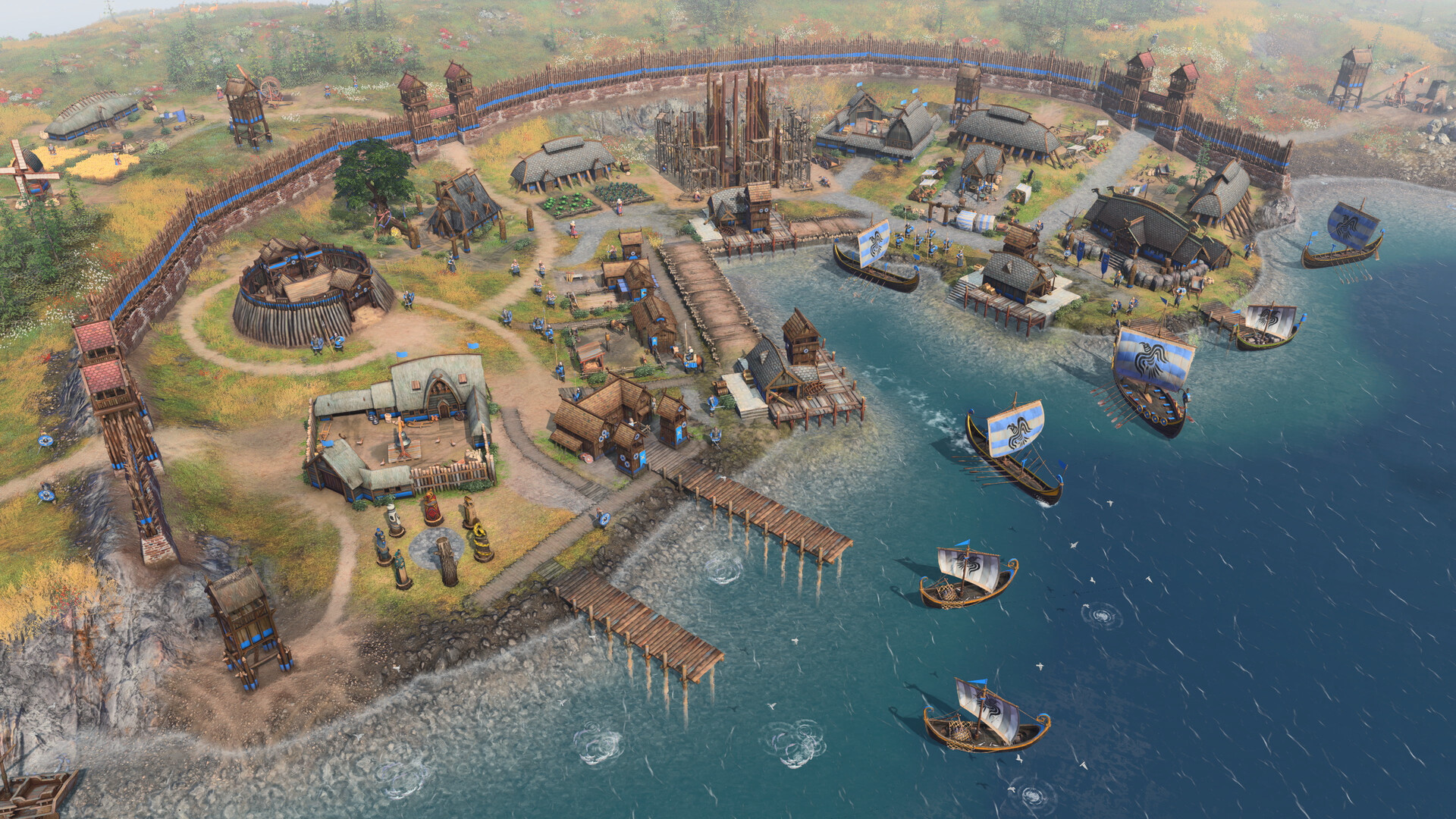
Age of Empires IV — 1
Official game screenshot.
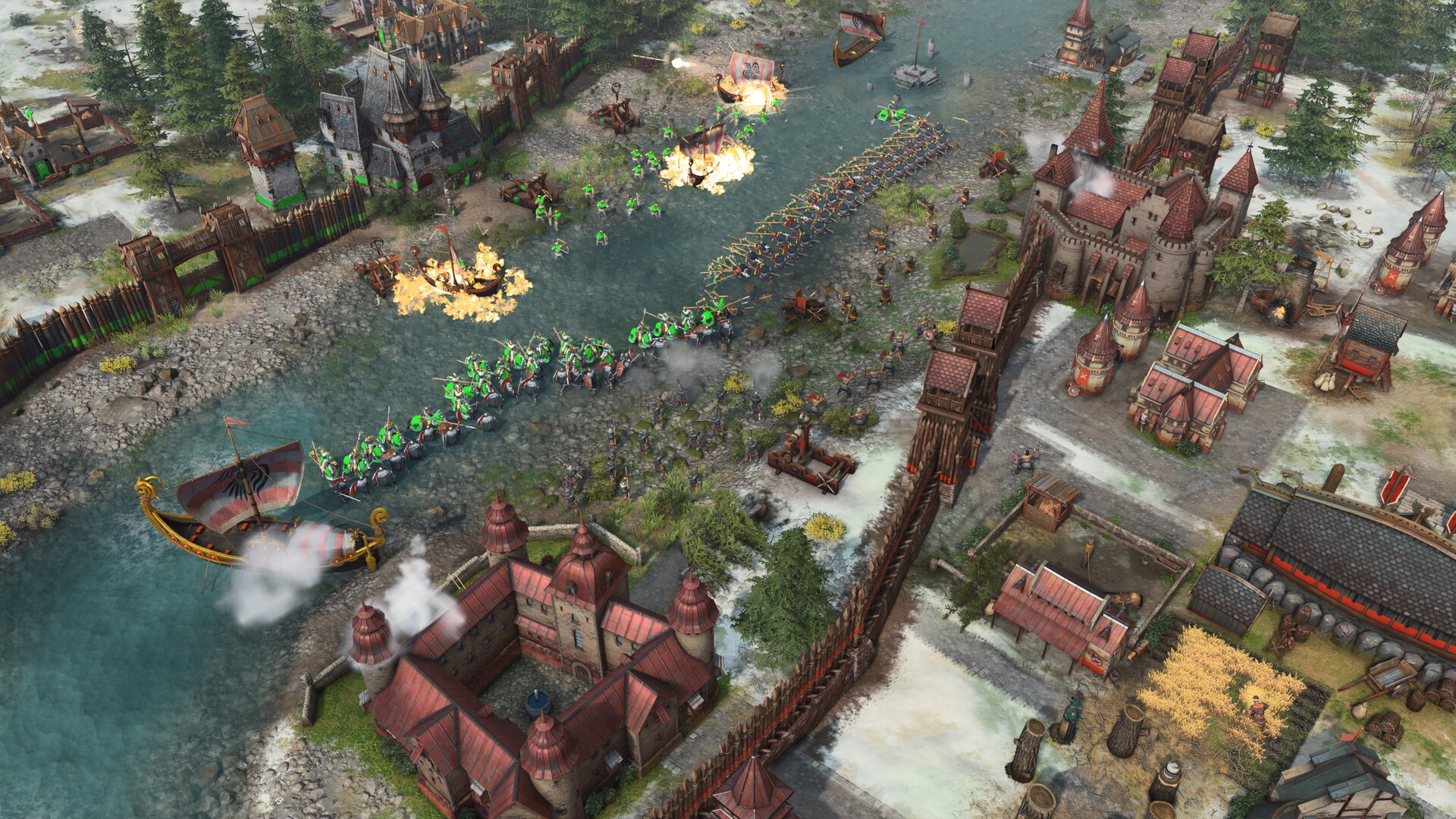
Age of Empires IV — 2
Official game screenshot.
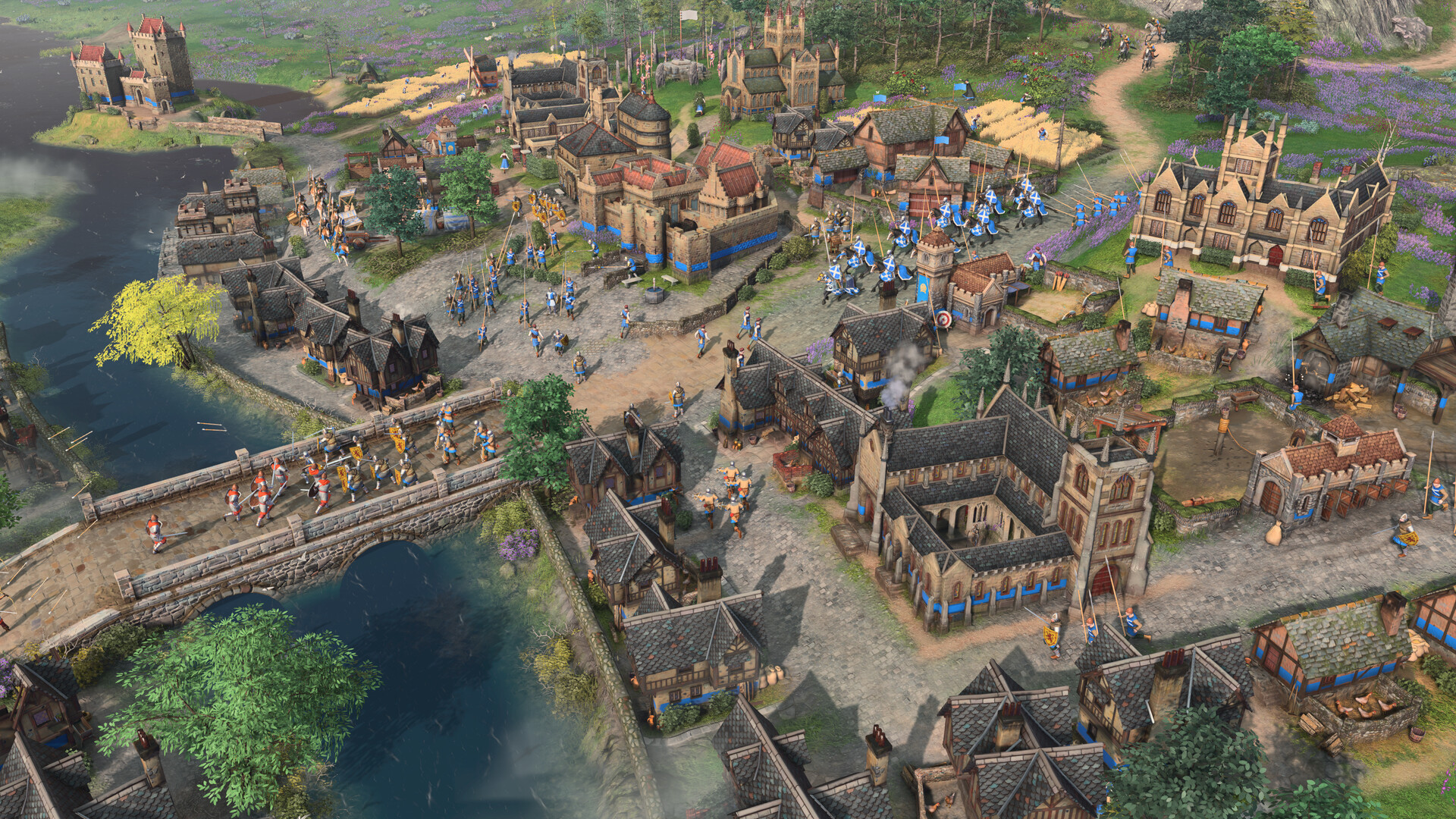
Age of Empires IV — 3
Official game screenshot.
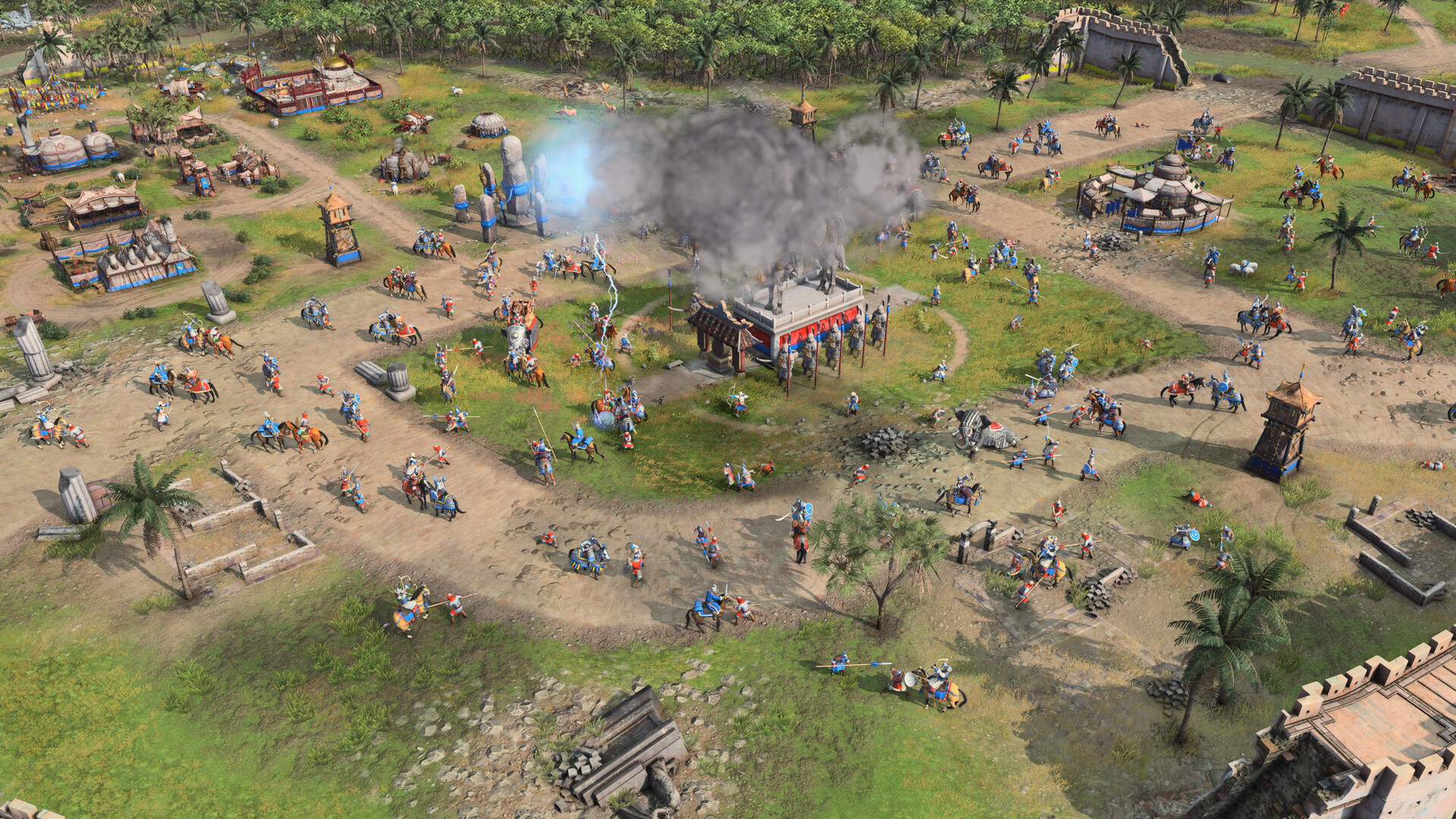
Age of Empires IV — 4
Official game screenshot.

Official Steam Store Page ↗ Media verified 2026-10-25

Каталог

Подписка оформляется на конкретный продукт: покупка одного не открывает другие.

Full Catalog

Ready to upgrade your Age of Empires IV macro?

Review the modules and system requirements, then choose your plan. Total price is shown upfront before payment.

Share this product with friends & teammates Send a rich preview card to Telegram, Discord, VK, X, or copy a direct link.
Back
Top