Skip to content
  • Welcome to NeonCore! The product catalog and competitive analytics hubs (AoE4, PoE 1 & 2, Tarkov, Arena, Active Matter, LTD2) are available without signing in. Create a unified account to purchase subscriptions and access your dashboard.
Navigate dimensions, spot chests and rare blocks, and manage your inventory in Minecraft Java Edition with 68 individually toggleable modules and clean server profiles.
Sales Paused. Operational on Minecraft Java Edition 1.20.4 – 1.21.x. Checked 22.10.2026.
CRAFTHUD · Minecraft Minecraft Java 1.20.x–1.21.x · 68 Modules Sales Paused checked 22.10.2026 Modular client utility suite (68 modules) for Minecraft Java Edition: 3D radar, chunk/spawner scanner, light-level overlay, armor/totem HUD, and movement/inventory helpers.

68 modular tools for survival, PvP, and technical servers.

Clean overlay and modular suite for Minecraft Java: entity and storage highlight, chunk boundary analyzer, light level grid, armor/totem status HUD, and instant config switching.

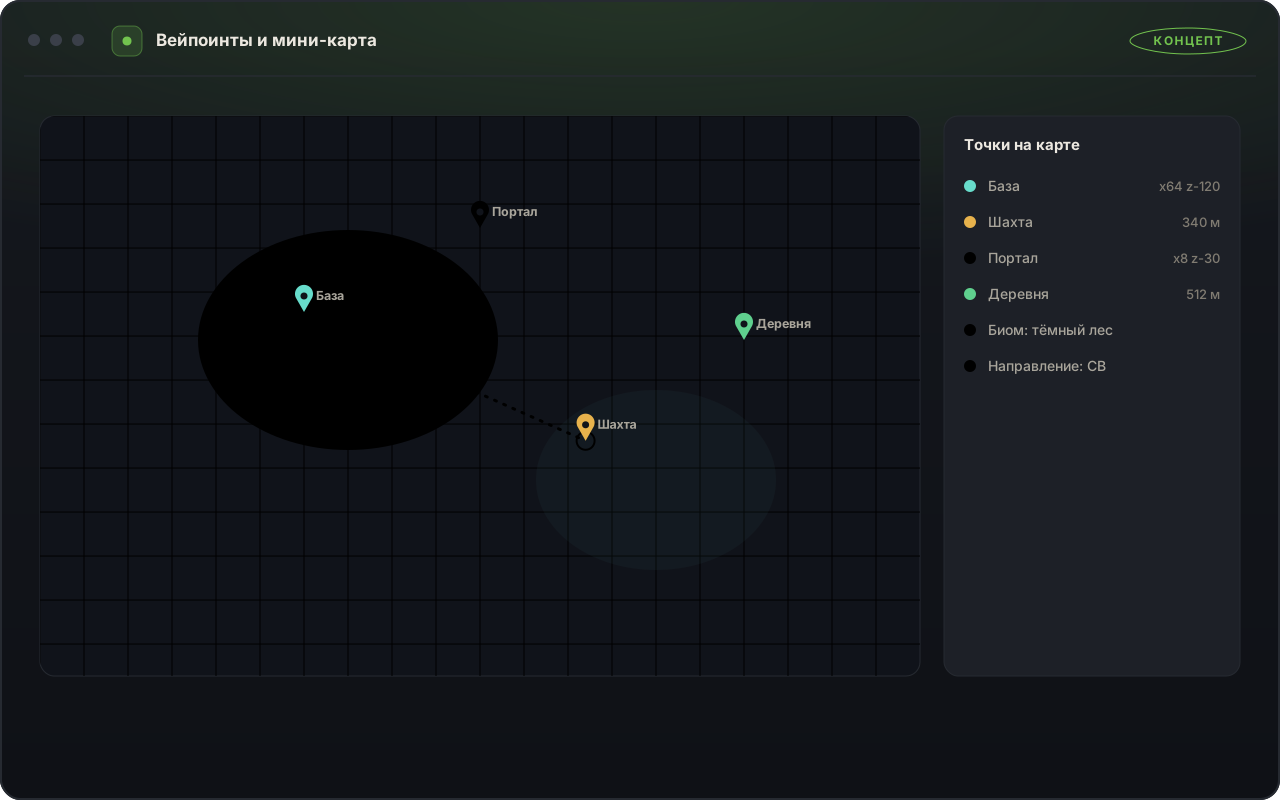
  • World navigation & waypoints: Overworld-to-Nether coordinate sync (8:1), death beacons, and color-coded chest/shulker/ender-chest markers
  • Combat & survival HUD: live armor durability, Totem of Undying counter, potion timers, and target health/enchantment readout
  • Building & technical helpers: chunk borders, slime-chunk finder, spawn-safe light grid, and redstone signal indicators
  • Instant profile switching: switch in one click between a full singleplayer utility set and a clean HUD-only profile for strict servers

Subscriptions are currently paused. Explore the modules and requirements below; live plans will appear when sales open.

CRAFTHUD — 1 CRAFTHUD — 2
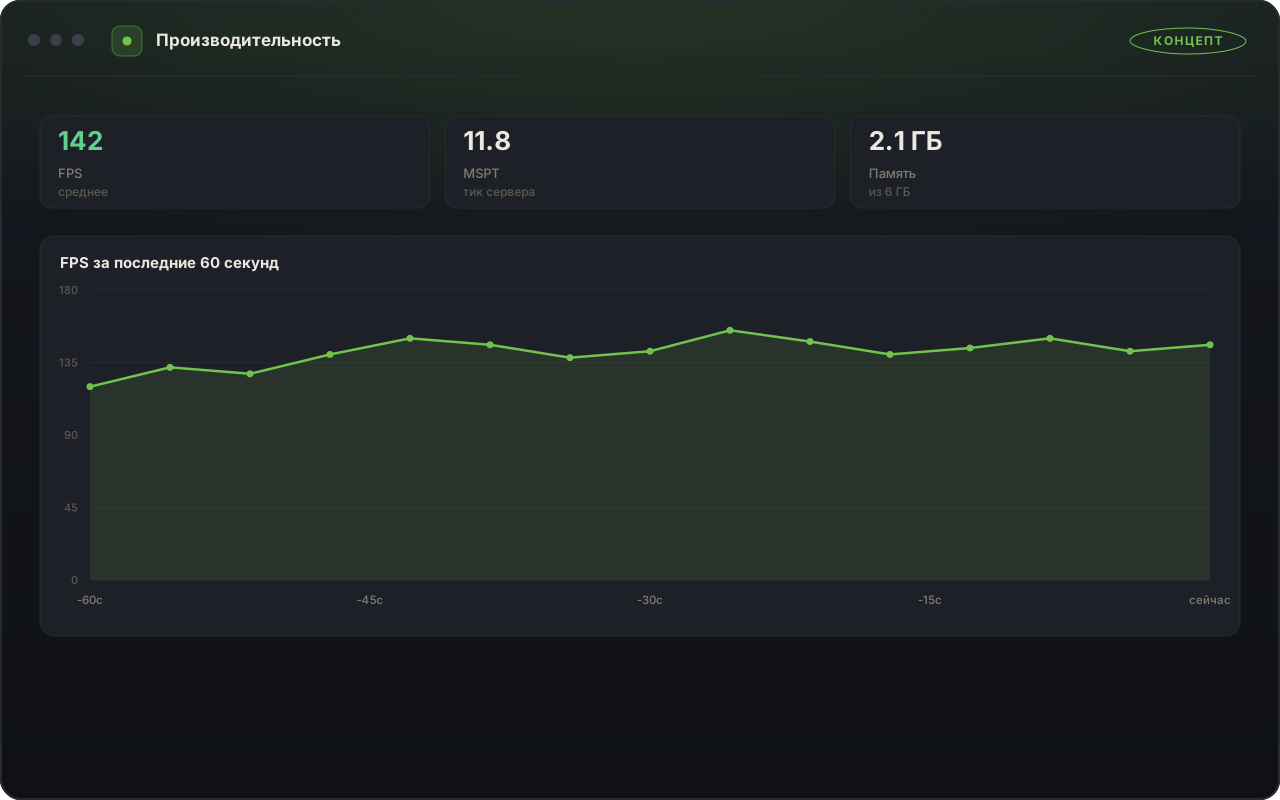
CRAFTHUD menu tabs and on-screen widgets.
Update October 2026

Object Filters & /mcstalker/ Reference Updated

All newest decorative blocks, copper structures, and mobs from the latest game update have been added to the block filter and reference hub.

Source: minecraft.net ↗
Overlay Menu & Modules

CRAFTHUD Core Features & How to Use Them

Each of the 68 modules can be toggled independently in the in-game menu (`Right Shift`) and bound to custom hotkeys.

Navigation, World Waypoints & Object Finder
Waypoint and object search configuration.
01

Navigation, World Waypoints & Object Finder

Displays custom waypoints, automatically marks your last death location, and highlights selected chests, ores, and mobs.

Where to enable it

Open the World & Navigation tab in the menu, check your desired object categories, and set the display radiusslider.

How to Use

Navigate caves, the Nether, and the End effortlessly without losing valuable finds.
Modules

Included Modules & Features

Complete directory of all 68 CRAFTHUD modules and the /mcstalker/ analytics portal. Every entry explains what information it displays or what action it simplifies.

Complete Feature Matrix 38

Badges classify module behavior inside the overlay.

Navigation, World & Object Search
  • Waypoint Manager Information
    Displays 3D markers for bases and portals with automatic Nether coordinate conversion in the World tab.
  • Automatic Death Location Marker Information
    Saves exact coordinates of your last death and draws a guide beacon; enabled via checkbox.
  • Rare Block & Ore Finder Information
    Highlights selected block types within a customizable radius around your character.
  • Chest, Barrel & Shulker Highlights Information
    Color-codes storage containers and item frames; toggled in the World tab.
  • Nearby Player & Mob Radar Information
    Lists nearby entities and distances on a compact panel; filterable by category.
  • Spawner Activation Radius Sphere Information
    Outlines the active radius around mob spawners for designing XP farms; toggled in the menu.
  • Arrow & Ender Pearl Trajectory Preview Information
    Draws the flight arc and landing point for projectiles; enabled in visibility settings.
  • Shulker Box Tooltip Preview Information
    Displays the contents of a Shulker Box directly when hovering over it in your inventory.
  • Pet & Villager Health Indicator Information
    Shows exact health and stats above horses, wolves, and villagers; enabled via checkbox.
  • Directional Sound Indicator Information
    Points toward nearby footsteps, explosions, and chests along the edge of your screen.
Visibility, Lighting & Chunks
  • Freecam Inspection Mode Information
    Inspect builds or caves from a detached camera angle without moving your character; triggered by hotkey.
  • Cave & Underwater Brightness (Fullbright) Information
    Provides clear visibility in dark mines and underwater without torches; toggled in the menu.
  • Mob Spawn Light-Level Grid Information
    Marks blocks dark enough for hostile mobs to spawn; enabled in the Visibility tab.
  • Chunk & Region Boundary Grid Information
    Draws vertical chunk borders to align redstone contraptions and farms; toggled by hotkey.
  • Smooth Camera Zoom Information
    Zooms the view smoothly while holding your assigned hotkey with mouse-wheel magnification.
  • Weather & Lava Fog Clearing Information
    Removes heavy rain, snow, and underwater haze for a clean view; configured via checkboxes.
Inventory, Storage & HUD Panels
  • Broken Tool & Totem Auto-Replace Information
    Moves a fresh tool or Totem of Undying into your hand before breakage; enabled in the Inventory tab.
  • Automatic Best Tool Switcher Information
    Switches your hotbar slot to a pickaxe, axe, or shovel depending on the block you strike.
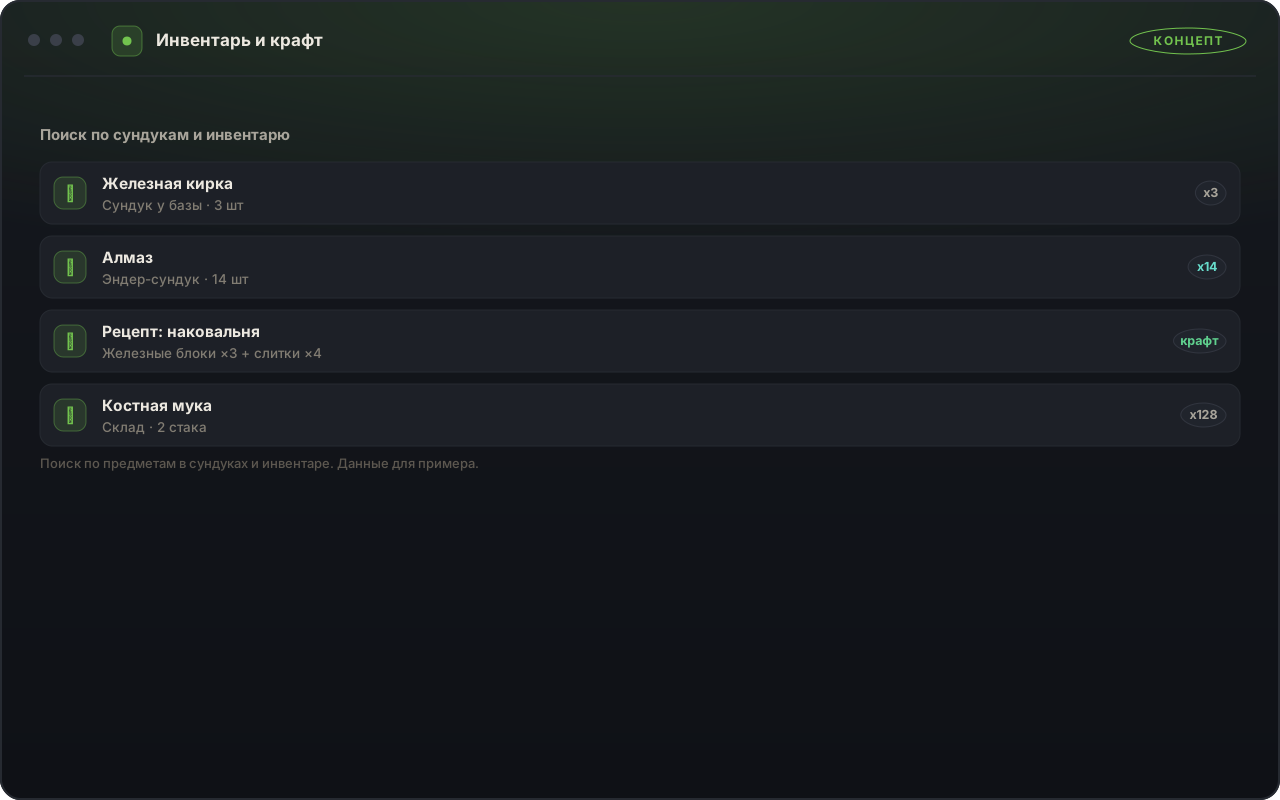
  • One-Click Inventory & Chest Sorter Information
    Organizes items by category with a single click or hotkey; configured in the menu.
  • Tool Durability Saver Information
    Pauses mining a few durability points before a valuable tool breaks; threshold set by slider.
  • Armor & Equipment Status HUD Automation
    Displays remaining durability for helmet, chestplate, and elytra next to the hotbar; draggable by mouse.
  • Active Potion & Beacon Effect Timers Automation
    Shows exact remaining durations for all active buffs on screen; enabled in the HUD tab.
  • Drag-to-Move Item Transfer Automation
    Quickly moves item stacks between chests and inventory while sweeping the cursor.
  • Auto-Fishing Helper with Audio Cue In-Game Action
    Reels in catches and recasts the fishing rod automatically when toggled by hotkey.
Building & Block Placement
  • Fast Block Placement Helper Automation
    Speeds up laying long walls and floors while holding right-click; adjusted via slider.
  • Ledge Safe-Walk In-Game Action
    Prevents accidental falls off block edges while placing blocks backward over ledges; toggled by hotkey.
  • Block Distance & Volume Ruler Automation
    Measures exact length, width, and height between two marked blocks in the Building tab.
Movement & Travel Comfort
  • Auto-Sprint & Auto-Walk In-Game Action
    Maintains sprinting and forward travel across long distances without holding keys; toggled by hotkey.
  • Water Float Helper Automation
    Keeps your character afloat when stopping in deep water; enabled in the Movement tab.
  • Inventory Walk In-Game Action
    Allows organizing your backpack while continuing to walk forward; enabled via checkbox.
  • Elytra Glide Pitch & Altitude HUD Automation
    Displays glide angle and warns of terrain approach during flight; enabled in the menu.
  • Step-Up & Auto-Jump Helper Automation
    Smoothly steps up terrain blocks during overland travel; toggled in the Movement tab.
  • Lava & Cactus Hazard Warning In-Game Action
    Alerts and slows your step right before walking into lava or cacti; enabled via checkbox.
Combat Indicators & Training
  • Crosshair Attack Cooldown Indicator Automation
    Displays weapon swing readiness directly beneath your crosshair; enabled in the Combat tab.
  • Target Health & Armor Card Automation
    Shows a compact stat card for the entity you are targeting; draggable on screen.
  • Target Distance & Reach Indicator Automation
    Highlights when a target enters effective melee or bow range; enabled via checkbox.
  • Golden Apple & Ender Pearl Cooldown Timer In-Game Action
    Displays item cooldowns right on your hotbar HUD; toggled in the menu.
CraftHUD World Analytics Hub (/mcstalker/)
  • Biome, Recipe, Brewing & Enchantment Atlas Information
    Interactive crafting guide, villager trade table, and Nether portal coordinate calculator on /mcstalker/.
Чейнджлог · Последние 20 дней

Обновления CRAFTHUD (Minecraft) за последние 20 дней

Журнал обновлений тактического радара, фильтров тайников и встроенной защиты за октябрь 2026.

v3.1.4 Защита и стабильность 21.10.2026
Усиление встроенной защиты и оптимизация работы на модифицированных проектах

Обновлён защитный контур и проведён рефакторинг обработки пользовательских объектов и контейнеров.

  • Улучшена встроенная защита и совместимость с лаунчерами сталкерских и RPG-проектов.
  • Проведён внутренний рефакторинг фильтрации тайников, артефактов и редких блоков.
  • Снижена нагрузка на процессор в густонаселённых локациях и базах.
v3.1.0 Newest функции 14.10.2026
Добавление профилей поиска артефактов и синхронизации с Marketом

Расширены списки отслеживаемых предметов и добавлена загрузка готовых профилей по серверам.

  • Добавлены готовые пресеты категорий для сталкерских, анархических и приключенческих режимов.
  • Улучшена встроенная защита и проверка безопасности сессии.
  • Добавлена настройка прозрачности и масштаба 2D-радара.
v3.0.6 Рефакторинг 07.10.2026
Рефакторинг ночного зрения, путевых точек и маркеров дистанции

Улучшено удобство навигации по сохранённым координатам и пещерным маршрутам.

  • Проведён рефакторинг системы пользовательских меток (Waypoints) с группировкой по мирам.
  • Повышена плавность отображения контуров и дистанций.
Compatibility · Minecraft

Requirements & Limitations

Operating system requirements, supported game edition, and server profile guidelines.

Minecraft
CRAFTHUD Java Edition · Windows 10 / 11
  • Windows 10 / 11 (64-bit)
  • Minecraft Java Edition
  • Any Window Mode · Menu Hotkey
  • 1-PC Device Binding
  • Custom Profiles per Server
Environment Configuration
System Requirements
Operating System
Win 10 / 11 x64
Windows 10 (21H2+) or Windows 11 (22H2–24H2), 64-bit
Game Edition
Java Edition
Current releases of Minecraft Java Edition (Windows Store Bedrock Edition is not supported)
Display Mode
Any Window Mode
Supports Fullscreen, Borderless Windowed, and Windowed modes; open the menu with Insert or Right Shift
Device Binding
1 PC
Your loader binds to 1 PC; standard TPM 2.0 plans and a dedicated No-TPM plan are available
Server Rule Compliance
Modular Profiles
Every one of the 68 modules toggles independently — use a HUD-only profile on strict public servers
Profile Management
Workshop
Instantly switch between presets for survival, technical servers, mini-games, and creative building
Usage Rules
Terms & Usage Notes
  • Respect Individual Server Rules Server Profiles
    Many public servers allow informational HUD widgets (armor, coordinates, light grid) while prohibiting ore finders or freecam. Disable restricted modules in your server profile.
  • Minecraft Java Edition Only Game Edition
    Designed specifically for Minecraft Java Edition and does not support Bedrock Edition.
  • Single-PC License Binding 1 Key = 1 PC
    Your license binds to your PC on first login. If your system lacks TPM 2.0, select the No-TPM plan at checkout.
  • Subscription Freeze in Dashboard Pause Anytime
    Pause your active subscription with one click in your dashboard whenever taking a break.
  • Independent Unofficial Add-On Policy
    This is an independent unofficial utility suite and is not affiliated with Mojang Studios or Microsoft.
CRAFTHUD is an independent unofficial add-on and is not affiliated with Mojang Studios or Microsoft.
Subscription

Select Duration

Subscription for CRAFTHUD. Other catalog products are subscribed separately.

Best Value 🔥
Instant Online Checkout: Bank Cards / SBP / Instant Pay USDT / BTC / TON xRocket ⚡ Мгновенная автоматическая активация доступа
Ratings & Reviews · Verified

Player Reviews for CRAFTHUD

Verified subscriber reviews and ratings for CRAFTHUD in Minecraft. Full community discussion and feedback are available in the product forum section.

4.9 / 5
Average Product Rating · ★ 4.9
Based on 31 verified subscriber ratings
Zodiaka Verified Subscriber
★★★★★ 5/5

Automatic death waypoint and pickaxe durability guard

A waypoint with exact coordinates appears automatically upon death so you never lose your items. Enabling tool protection in the menu stops mining right before your pickaxe breaks.

Fervoxa Verified Subscriber
★★★★★ 5/5

Customizable ore highlighting and quick server profiles

You can select specific ores and storage blocks in the menu, adjust the detection radius slider, and save separate profiles tailored to different server rules.

FAQ

Frequently Asked Questions about CRAFTHUD

How do I open the menu and configure modules in-game?
After launching via your loader, press Insert (or Right Shift). You can toggle any of the 68 modules, customize highlight colors, and drag HUD widgets with your mouse.
Is Minecraft Bedrock Edition supported?
No. CRAFTHUD is built exclusively for Minecraft Java Edition on Windows 10/11.
Can I create a HUD-only profile for strict servers?
Yes. You can save a dedicated profile that enables only armor durability, potion timers, coordinates, and light-level indicators.
What is the difference between standard plans and the 'No-TPM 2.0' plan?
Standard plans run on PCs with TPM 2.0 enabled. If your motherboard does not have TPM 2.0, select the '30 Days · No TPM 2.0' plan at checkout.
Where can I find the crafting, brewing, and portal calculators?
All reference tables and calculators are available on the public /mcstalker/ analytics page.
About the Game

Official Media: Minecraft

Official game trailer and screenshots from the game publishers. NeonCore overlay modules are showcased in the sections above.

Minecraft LIVE — September 2026
Official game trailer. Watch on YouTube ↗
Minecraft — 1
Official game screenshot.
Minecraft — 2
Official game screenshot.

Official Game Page ↗ Media verified 2026-10-17

Каталог

Подписка оформляется на конкретный продукт: покупка одного не открывает другие.

Full Catalog

Have a question about CRAFTHUD?

Ask about features, PC compatibility, and availability in the product's forum section.

Share this product with friends & teammates Send a rich preview card to Telegram, Discord, VK, X, or copy a direct link.
Back
Top